

Understanding
Colour is not just in the pixel: how our eyes construct it
An unchanged square in a file looks cooler against a different background. A white sheet still appears fairly white under warm lighting, although its photograph turns orange. These differences are not merely settings errors: colour is a perception built from light, comparisons and context. Understanding that process makes photographic choices and editing more precise.
Remember this
Cones provide signals rather than ready-made red, green and blue labels. The visual system compares and interprets them. Surroundings can change the appearance of an unchanged patch, while adaptation only partly compensates for illumination changes. A photograph should also be judged in its presentation conditions.
A colour is not simply a wavelength
Light reaching the eye can contain many wavelengths. For a surface, the mixture depends in part on illumination and on what the material absorbs or reflects. Perceived colour is not a label permanently attached to an object. Paint, a photographic print and a display also produce their outgoing light in different ways.
Monochromatic light can be described by one wavelength, but many photographic colours correspond to mixtures. Looking for the single wavelength of pink does not explain its appearance. The visual system receives a pattern of stimulation and interprets it in relation to the rest of the scene rather than simply reading a colour name from one incoming ray.
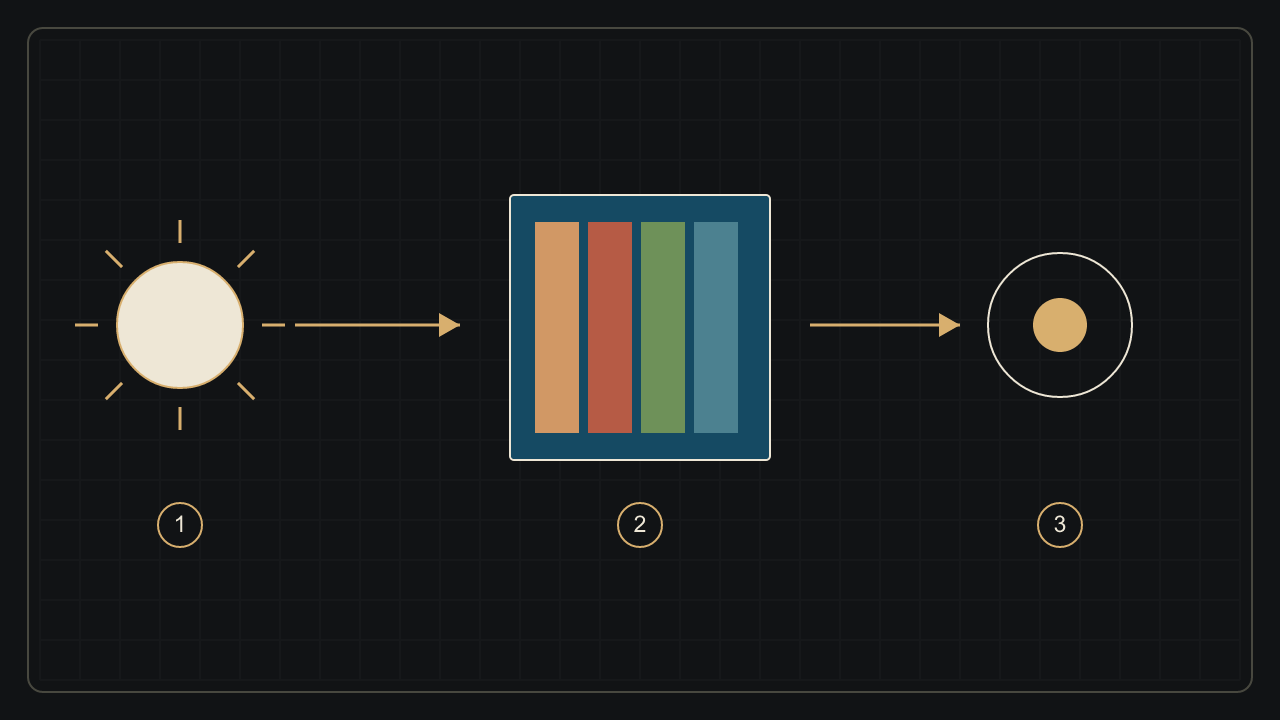
The first practical consequence is that a source change can alter the photograph without altering the object. A pleasing outdoor colour may separate differently under an interior lamp. Before moving several sliders, examine the actual illumination and the image’s overall tonal relationships instead of assigning all meaning to an isolated pixel.
Three cone families, not three pots of paint
In typical trichromatic vision, three cone families are called S, M and L, reflecting relative sensitivity to short, medium and long wavelengths. Their sensitivity ranges overlap. Calling them simply blue, green and red cones is convenient but can misleadingly suggest narrow detectors, each reserved for one pure colour.
The signals do not directly become the three channels of a photograph. Comparisons and opponent interactions begin in retinal circuits, with further transformations along visual pathways. Circuits described as red–green or blue–yellow should not be treated as a perfectly simple, universal wiring diagram for every named colour experience. Current research reveals substantial complexity.
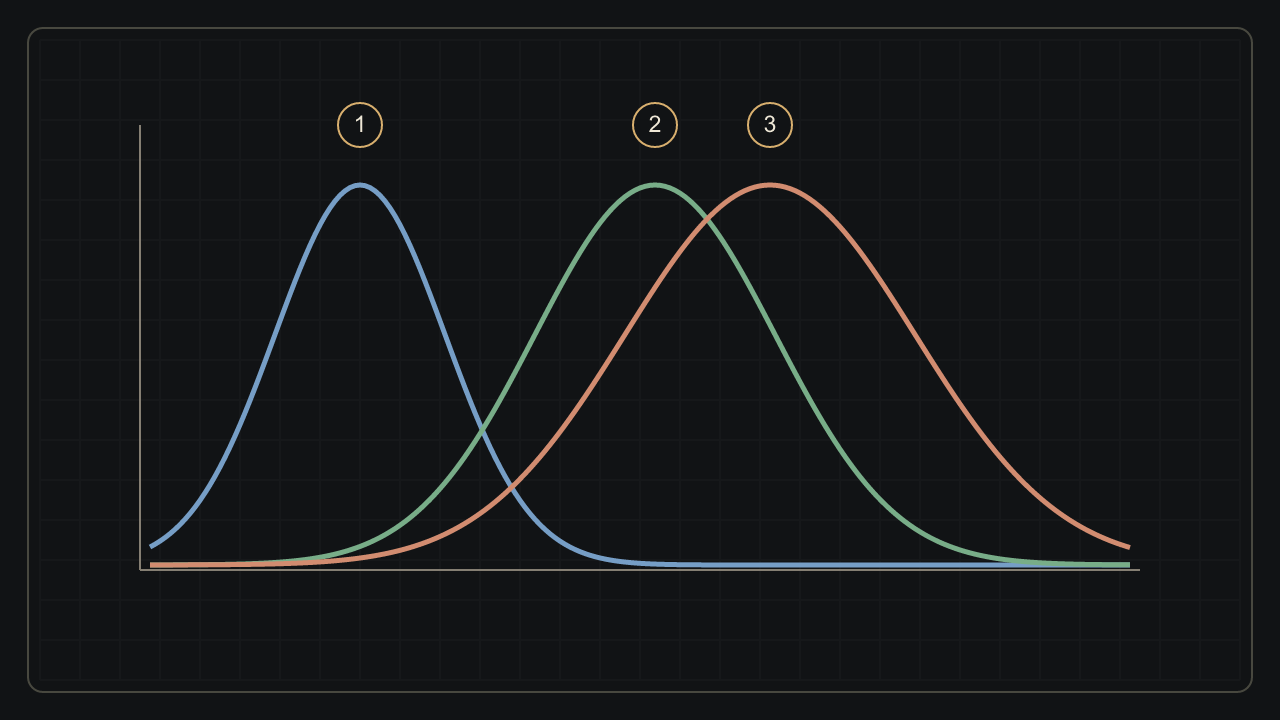
The drawing shows broad overlapping sensitivities without measured values or a particular eye’s anatomy. One stimulus can engage several cone families. An RGB editing control is therefore not a switch independently commanding three cone classes: it changes an image representation that will be reproduced by a particular device in particular viewing conditions.
The same square can change without changing
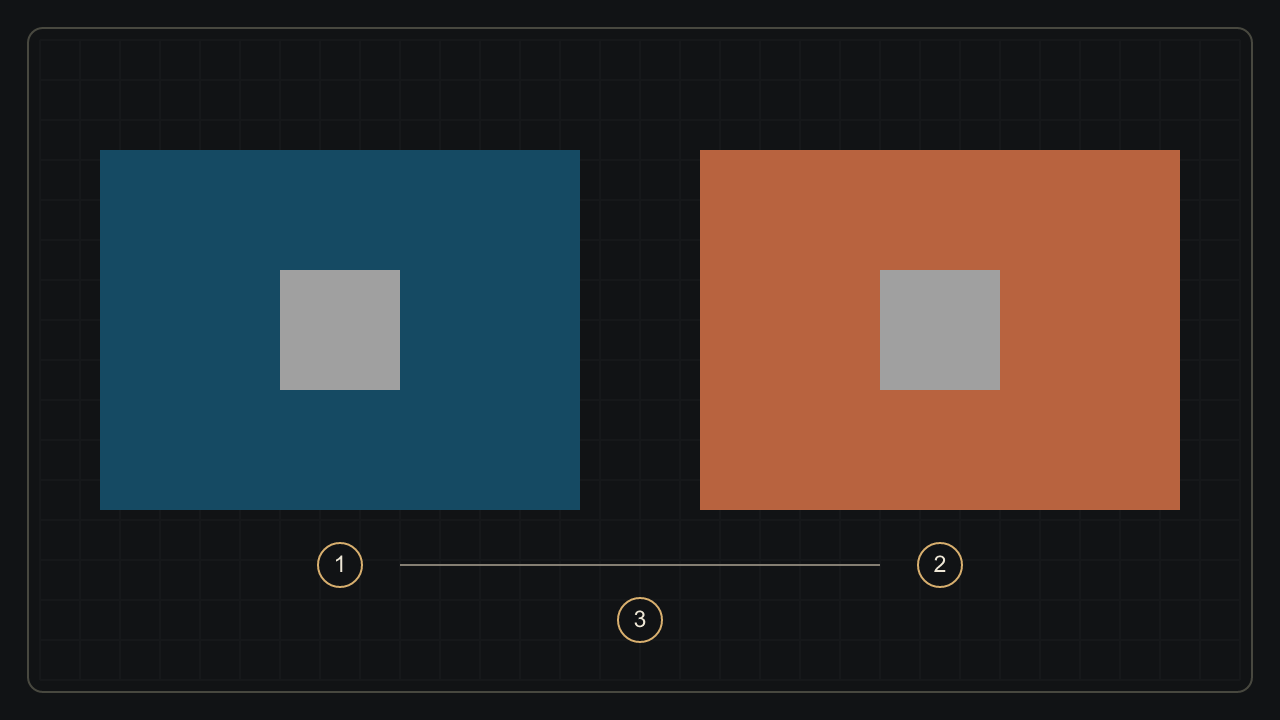
The two central squares in this example have identical encoded values: RGB 160, 160, 160. Only their surroundings change. Nevertheless, they may look different. Simultaneous contrast reminds us that colour is not judged in isolation: a neighbouring area, a contour and the spatial organisation of the scene influence appearance.
Observe the patches, then use the experiment’s button to make the backgrounds uniform. The effect may be subtle or different depending on your display, surroundings and perception. It is neither a vision test nor display calibration. What is controlled is the identity of the patch values, not a perceptual response guaranteed for every reader.
The same square. Two contexts.
Both central squares use exactly the same sRGB colour: #A0A0A0 (160, 160, 160).
The impression can vary with the display, surroundings and observer. This illustration is not a vision test or calibration.
This distinction matters in editing. Skin can appear less warm after a background change even if its values remain untouched. Before correcting a face or sky locally, compare the complete photograph with a more isolated detail view. Otherwise you may alter the subject to compensate for its surroundings, then need to undo that correction elsewhere.
Adaptation seeks stability, not a perfect white
Colour constancy is the tendency for object appearance to remain somewhat stable despite illumination changes. Chromatic adaptation contributes alongside other scene cues. Compensation is approximate: the visual system does not magically remove all illumination colour or recover perfect physical reflectance from any possible scene. Stability is an achievement with limits.
A familiar sheet beneath a warm lamp can look more neutral to an observer than in an uncorrected photograph. The still image does not contain every condition of the original observation. It will be viewed under different light and among different surfaces. Photographers decide whether to preserve a reference neutrality, the atmosphere or an expressive compromise.
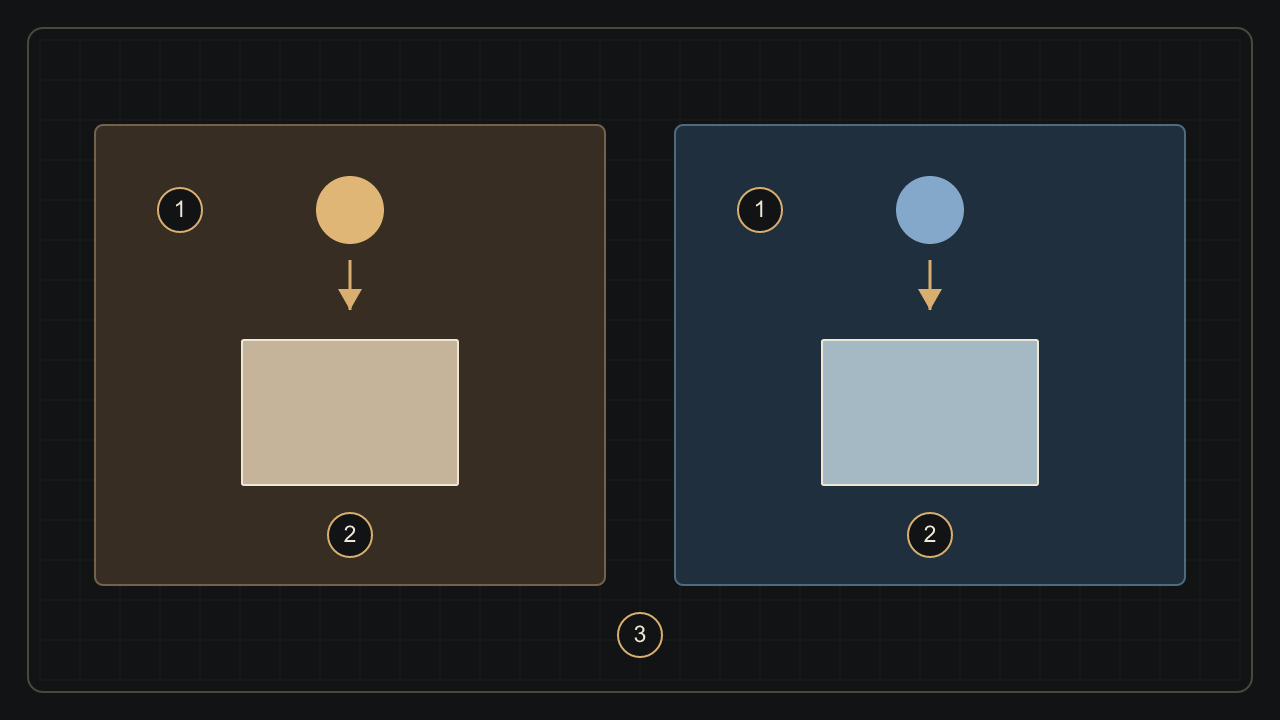
Compare several plausibly neutral areas rather than assuming a single white patch reveals the complete truth. To separate perceptual adaptation from camera settings, read about illumination and white balance. A technical reference and an aesthetic intention can coexist when we know what each describes; one does not automatically invalidate the other.
Hue, lightness and saturation: name the change
Hue locates a colour among families such as red, yellow, green and blue and their neighbours. Perceived brightness concerns how much light an area appears to emit or reflect. Lightness, in colour-appearance terminology, relates that impression to a similarly illuminated white reference. These concepts are not interchangeable with the value of one image channel.
Saturation concerns the colourfulness of an area relative to its perceived brightness; chroma uses a different reference. Software sliders named saturation, vibrance or brightness use different models. Their numbers are not universal measurements of sensation. Different hues with equal HSL lightness L do not necessarily have equal perceptual lightness. A software adjustment also need not produce a physically identical change in every photograph.
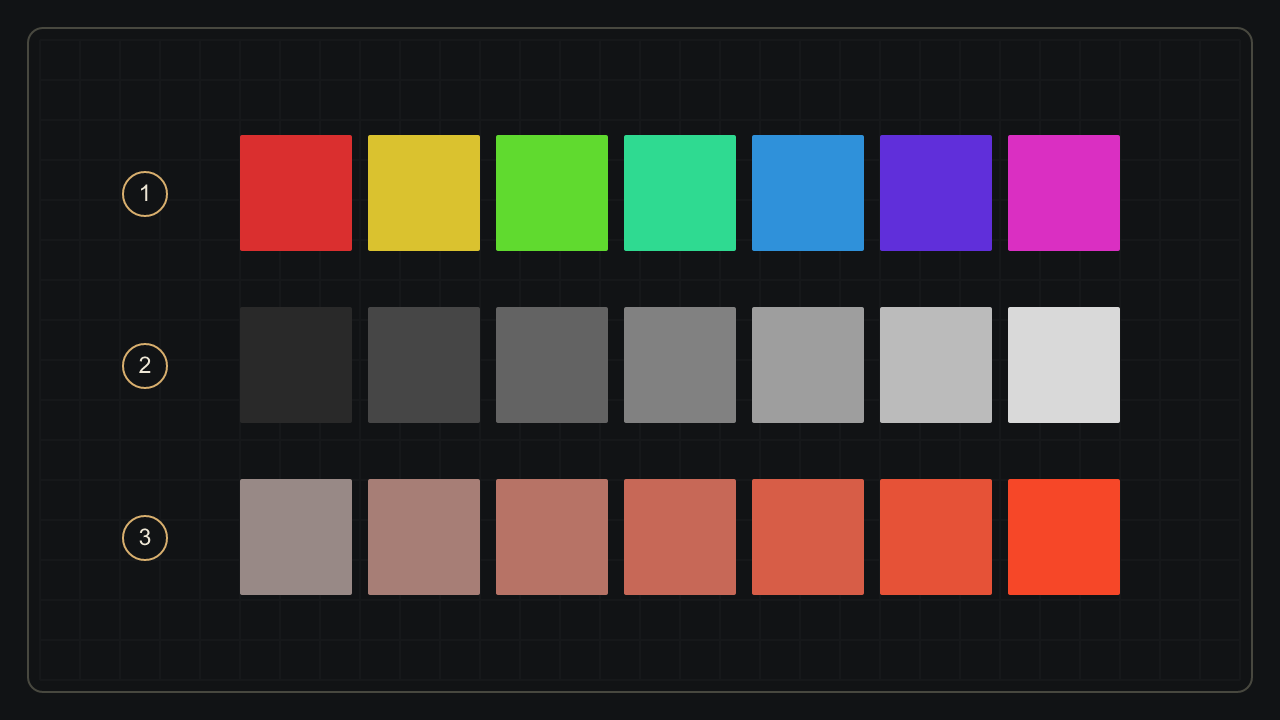
Before intensifying a colour, describe the problem: too orange, too light, too dominant compared with the rest? This vocabulary makes tests easier to interpret. Change one dimension at a time and examine transitions as well as patches. A vivid garment can retain detail; increasing saturation should not replace observing its folds and highlights.
An image should remain readable beyond colour alone
Observers do not all distinguish colours in the same way. Colour vision deficiencies can affect particular distinctions without necessarily turning the world black and white. A screen simulation does not reproduce every person’s experience. It cannot diagnose a condition or promise a universal reconstruction of vision for everyone using the same settings.
For captions, controls or diagrams accompanying a photograph, combine colour with text, shape or a clear position. W3C guidance advises against making information depend on colour alone. This also helps with limited displays, different printed reproductions and real environments in which neighbouring hues become difficult to tell apart.
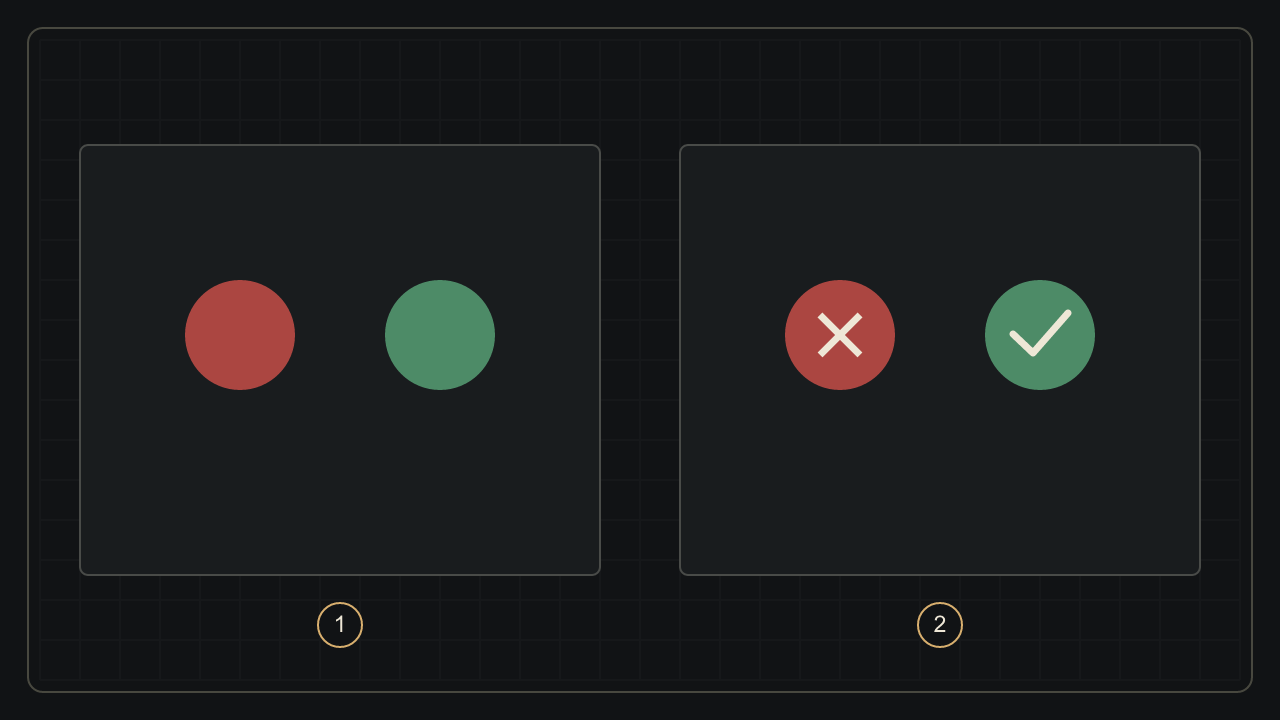
In the photograph itself, also consider tonal separation, boundaries and the direction of attention. An attractive palette does not replace readable composition. Display assistance may help particular tasks without treating a vision condition. Understanding perceptual differences encourages several useful cues, rather than imposing a single colour code and assuming it communicates identically to every viewer.
Sources and further reading
- National Eye Institute — Envision color: brain activity and colour perception
- Kim, Packer & Dacey — A circuit motif for color in the human foveal retina, PNAS (2024)
- CIE e-ILV — Perceived colour, 17-22-040
- CIE e-ILV — Chromatic adaptation, 17-22-013
- Brainard, Brunt & Speigle — Color constancy in the nearly natural image. I. Asymmetric matches (1997)
- Kanematsu & Koida — Large enhancement of simultaneous color contrast by white flanking contours, Scientific Reports (2020)
- CIE e-ILV — Hue, 17-22-067
- CIE e-ILV — Brightness, 17-22-059
- CIE e-ILV — Saturation, 17-22-073
- National Eye Institute — Color vision deficiency
- W3C WAI — Understanding WCAG 2.2, Use of Color
- CIE e-ILV — Lightness, 17-22-063
- W3C — CSS Color Module Level 4, HSL colours and perceptual limitations
From reading to making images
Explore the applicationKeep exploring
All stories
Why the same colour changes under different light
Light spectra, metamerism and white balance: understand why skin, clothing or a print can change colour with the lighting.
Read the story
Why your photograph changes colour from one screen to another
sRGB, Display P3, ICC profiles and export: understand what changes a photograph’s colours between editor, browser and screen.
Read the storyShare this article
An idea worth passing on.